Grand Theft Auto: San Andreas is not just a video game; it is a cultural phenomenon. Released by Rockstar Games in the early 2000s, this masterpiece redefined the open-world genre. From the dusty desert of Las Venturas to the neon-lit streets of Venturas and the gang-ruled neighborhoods of Los Santos, CJ’s journey remains etched in the hearts of millions of gamers. Even in 2026, a massive community of players returns to the state of San Andreas to relive the nostalgia, experiment with crazy mods, or play multiplayer via SA-MP (San Andreas Multiplayer).
However, whether you are trying to run the classic original version, the highly modified roleplay editions, or the upgraded Definitive Edition, knowing the exact GTA San Andreas PC Requirements is the first step to ensuring a stutter-free experience.
In this ultimate, highly optimized guide, we will break down the minimum and recommended configurations, analyze the hardware needed for modding, and give you actionable tips to optimize your PC for buttery-smooth gameplay.
Visit Now: https://gtasanguide.com/
Why Understanding GTA San Andreas PC Requirements is Still Vital Today
You might wonder: Why do we need to discuss the specifications of a game that was released decades ago?
The answer lies in how the PC gaming landscape has evolved. Modern operating systems like Windows 10 and Windows 11 handle older DirectX 9 games differently than legacy systems did. Furthermore, the game has branched into different versions. Running the vanilla 2005 version requires almost no modern resources, but trying to run the heavily enhanced “Definitive Edition” or loading your classic game with realistic 4K graphics mods, ENB shaders, and high-polygon car models completely changes the performance math.
Understanding the official and unofficial GTA San Andreas PC Requirements ensures you don’t face random game crashes, audio delays, or the infamous frame rate glitch that messes up the game’s physics engine.
Classic Version Specs Comparison
If you are looking to play the original, untouched classic version of the game (v1.0 or the Steam version), the barriers to entry are practically nonexistent by today’s standards.
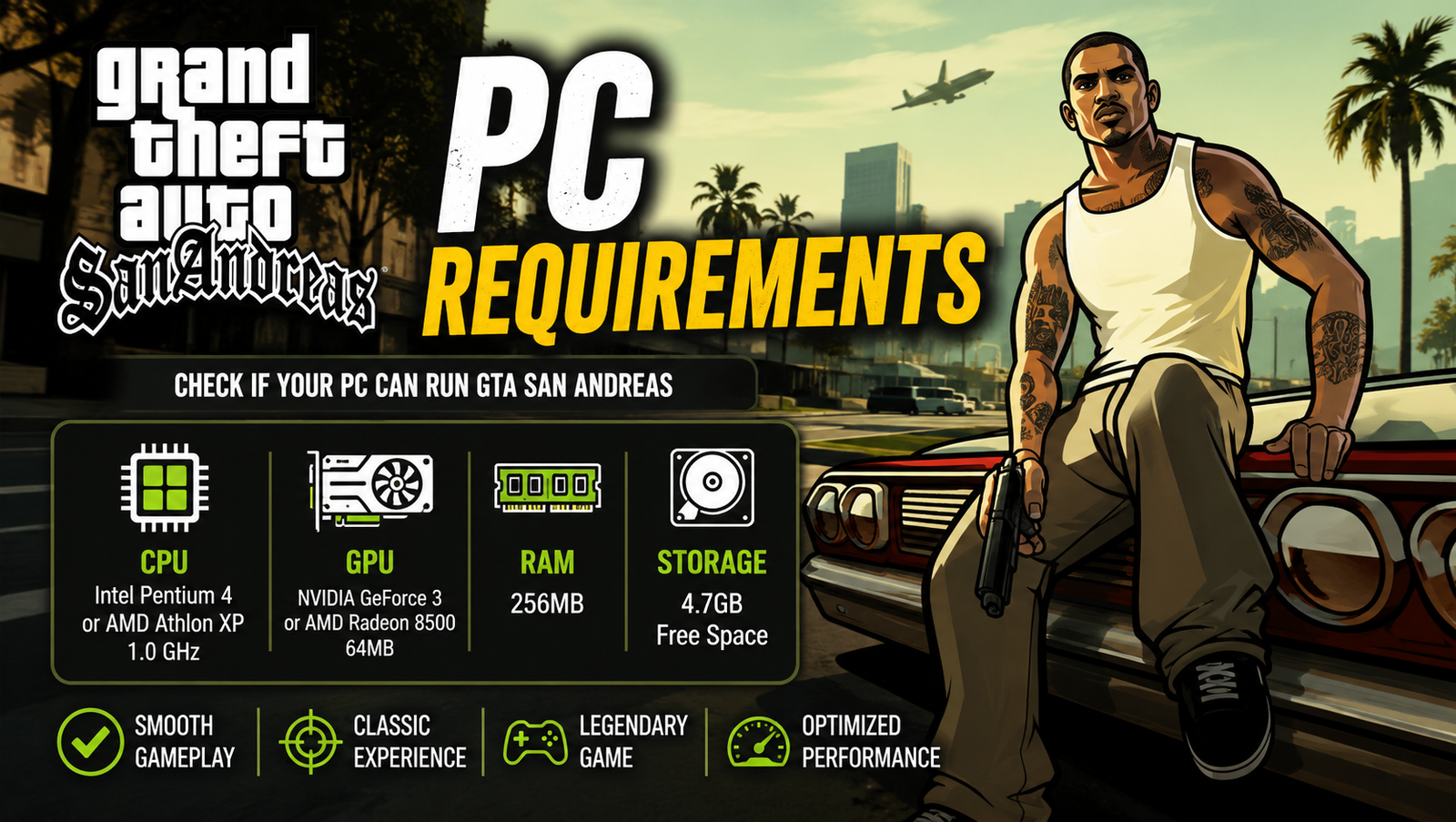
Below is the comparative breakdown of the Minimum and Recommended GTA San Andreas PC Requirements for the classic release:
| Hardware Component | Minimum Classic Requirements | Recommended Classic Specifications |
| Operating System | Windows 2000 / XP / Vista / 7 | Windows XP / Vista / 7 / 10 / 11 |
| Processor (CPU) | Intel Pentium III or AMD Athlon 1 GHz | Intel Pentium 4 or AMD Athlon XP |
| Memory (RAM) | 256 MB | 384 MB (512 MB recommended) |
| Graphics Card (GPU) | 64 MB Video Card (GeForce 3 or better) | 128 MB Nvidia GeForce 6 Series |
| DirectX Version | DirectX 9.0 compatible | DirectX 9.0c compatible |
| Storage Space | 3.6 GB of free hard disk space | 4.7 GB of free hard disk space |
GTA The Trilogy: The Definitive Edition Requirements
In late 2021, Rockstar released GTA: The Trilogy – The Definitive Edition, which rebuilt San Andreas inside the modern Unreal Engine 4. This version introduced updated lighting, high-resolution textures, and improved navigation. Consequently, the GTA San Andreas PC Requirements for the Definitive Edition are vastly higher.
Here are the specifications you must meet to play the remastered version:
| Hardware Component | Minimum Remaster Specs | Recommended Remaster Specs |
| Operating System | Windows 10 (64-bit) | Windows 10 / 11 (64-bit) |
| Processor (CPU) | Intel Core i5-6600K / AMD FX-6300 | Intel Core i7-2700K / AMD Ryzen 5 2600 |
| Memory (RAM) | 8 GB | 16 GB |
| Graphics Card (GPU) | Nvidia GTX 760 2GB / AMD R9 280 3GB | Nvidia GTX 970 4GB / AMD RX 570 4GB |
| Storage Type | HDD Supported (45 GB) | SSD Recommended (45 GB) |
Read More: GTA 6: Latest News, Release Details & Features
Unofficial Hardware Demands for Heavily Modded Environments
If you plan to turn your game into a modern-looking masterpiece using photorealistic ENB shaders, high-poly car models, and custom skyboxes, you can completely ignore the original 2005 specifications.
To run a heavily modified setup or play on crowded SA-MP servers smoothly, aim for these custom GTA San Andreas PC Requirements:
| Component | Modded Setup Target Specs | Why It Matters for Modding |
| Processor (CPU) | Intel Core i3 (8th Gen) / AMD Ryzen 3 | Handles high loads of custom scripts and physics. |
| Memory (RAM) | 8 GB DDR4 (with 4GB Patch applied) | Prevents out-of-memory crashes on bloated setups. |
| Graphics (GPU) | Nvidia GTX 1050 Ti / AMD RX 560 (4GB) | Renders heavy 4K textures and real-time reflections. |
| Storage Drive | Solid State Drive (SSD) | Eliminates texture pop-ins when driving fast. |
Hardware Priority Matrix for Smooth Gameplay
To give you a quick cheat sheet on how to spend your budget or adjust your settings, we have created a hardware priority matrix based on the GTA San Andreas PC Requirements:
| Hardware Component | Priority Level | Target Performance Metric | Recommended Action |
| Single-Core CPU Speed | Critical (High) | Stable 30/60 Frame Rate | Prioritize CPU clock speed over high core counts. |
| Storage Speed (SSD) | High | Instant Texture Rendering | Avoid HDDs to stop the world from disappearing. |
| System RAM | Medium | Zero Game Stuttering | Ensure at least 8GB of system RAM is active. |
| Dedicated GPU VRAM | Medium | Resolution & AA Support | Aim for 2GB+ VRAM to play at native 1080p/4K. |
Read More: GTA San Andreas Car Cheat Codes: Best Cars & Codes List (2026 Updated)
The 7 Essential Specs to Play Smoothly
To guarantee a completely seamless experience—regardless of which version you choose—let’s break down the 7 most essential specifications and hardware tweaks that act as the pillars of stable performance.
1.Processor (CPU) Clock Speed: Specification 1.
The original San Andreas engine (RenderWare) is heavily single-thread bound. It does not know how to distribute its workload across modern 6-core or 8-core processors. Therefore, having a CPU with high single-core speed (at least 2.5 GHz or higher) is far more important than having multiple cores.
2.Dedicated Video Memory (VRAM): Specification 2.
While integrated graphics (like Intel HD Graphics) can run the vanilla game, a dedicated graphics card with at least 1GB of VRAM prevents memory leaks. For the Definitive Edition, having 4GB of VRAM is non-negotiable to prevent stuttering.
3.Fast Storage (SSD over HDD): Specification 3.
If you install mods or play on massive multiplayer servers, the game constantly streams custom skins, map modifications, and vehicle models. Installing the game on an SSD ensures that texture pop-ins are virtually eliminated.
4.Sound Card & Audio Drivers: Specification 4.
San Andreas has a rich radio system and deep environmental audio. Legacy audio drivers can cause the game to freeze during heavy gunfights or rainstorms. Make sure your DirectX audio drivers are fully updated.
5.Operating System & Compatibility Mode: Specification 5.
Since the classic game was built for Windows XP, modern Windows 10 and 11 environments can struggle with it. Running the game executable in Compatibility Mode for “Windows XP (Service Pack 3)” and enabling Administrator privileges is a core software requirement.
6.The Frame Limiter Setting: Specification 6.
This is the most critical hardware-software spec. The original game engine’s physics are tied directly to the frame rate. If you run the game past 30 frames per second without custom mods, cars won’t brake properly, CJ won’t be able to swim, and certain missions will become impossible to complete. Keeping the frame limiter turned “ON” in the settings (or capping it at 60 FPS using third-party mods like SilentPatch) is crucial.
7.DirectX 9 End-User Runtimes: Specification 7.
Modern PCs come pre-packaged with DirectX 12, but they often lack the old legacy DirectX 9 files required by San Andreas. Installing the official DirectX End-User Runtimes from Microsoft is an essential system specification to prevent “Missing d3dx9_25.dll” startup errors.
How to Optimize Your PC for GTA San Andreas?
Even if your computer easily exceeds the official GTA San Andreas PC Requirements, you might still experience issues due to modern hardware incompatibility. Here is a quick optimization checklist to make sure your game runs flawlessly:
Install SilentPatch
SilentPatch is an absolute must-have community mod for the classic version of the game. It fixes hundreds of bugs, improves performance, adds widescreen support, and allows the game to run smoothly at higher frame rates without breaking the physics engine.
Address the Multi-Core CPU Crash
The original game was written before multi-core processors existed, which can sometimes cause it to crash when your PC attempts to run it across multiple CPU cores.
- Open the game.
- Minimize it and open Task Manager (Ctrl + Shift + Esc).
- Go to the Details tab, find the process, right-click it, and select Set Affinity.
- Uncheck “All Processors” and select only CPU 0 or CPU 1. This forces the game to run on a single core, eliminating random crashes.
Use a Widescreen Fix
By default, the classic game will stretch your screen horizontally on modern 16:9 or 21:9 monitors, making CJ and the world look wide and distorted. Installing a widescreen fix plugin allows the game to render at your native monitor resolution without distorting the aspect ratio.
Read More: GTA San Andreas Save Game: 100% Completed Savegame Download Guide (2026)
Legality, Mods, and Safe Downloading
When preparing your system to meet the GTA San Andreas PC requirements, it is important to obtain the game through legitimate and safe channels.
- Avoid Shady Sites: Many websites offering “Free GTA San Andreas Full PC Download” are traps designed to deliver malware, trojans, or cryptocurrency miners.
- Legit Alternatives: While Rockstar pulled the classic version from most digital stores to promote the Definitive Edition, you can still find physical CD copies, key-reseller listings, or access the game directly through the Rockstar Games Launcher if you previously purchased it.
- Safe Modding: Always download mods, script loaders (like CLEO), and patches from reputable community platforms like GTAInside, MixMods, or GitHub.
Conclusion
GTA San Andreas remains an unparalleled masterpiece that every gamer should experience at least once. Whether you are running a high-end gaming rig or a decade-old office laptop, understanding the GTA San Andreas PC Requirements ensures that you can enjoy CJ’s iconic story without performance hiccups.
If you are playing the classic version, keep your frame limiter configured properly and install essential community patches. If you are stepping up to the Definitive Edition or loading up heavy graphics mods, make sure your hardware has the CPU single-core speed, RAM, and SSD power to handle the load. Configure your system, load up your favorite radio station, and get ready to conquer the state of San Andreas!
FAQ’s
1. What are the minimum GTA San Andreas PC Requirements for the original classic game?
The minimum GTA San Andreas PC Requirements for the original 2005 release are extremely low. To run the game, your system only needs a Pentium III 1GHz processor, 256MB of RAM, and a 64MB video card. However, if you want to play without any lag on modern systems, we recommend looking at the updated GTA San Andreas PC Requirements and installing community stability patches like SilentPatch.
2. Are the GTA San Andreas PC Requirements different for the Definitive Edition remaster?
Yes, the GTA San Andreas PC Requirements for the Definitive Edition are significantly higher because it was rebuilt using Unreal Engine 4. Unlike the classic version, the remastered GTA San Andreas PC Requirements demand at least 8GB of RAM, an Intel Core i5 processor, and a GTX 760 graphics card to handle the upgraded HD lighting and modern textures.
3. Can a modern budget laptop easily handle the GTA San Andreas PC Requirements?
Absolutely. Any modern laptop easily exceeds the original GTA San Andreas PC Requirements. Even basic integrated graphics (like Intel HD or AMD Radeon Vega) can run the classic version flawlessly. However, if you plan to play the 2021 remastered version, make sure your laptop meets the higher, dedicated GTA San Andreas PC Requirements to avoid heavy thermal throttling and frame drops.
4. How do custom graphics mods and ENBs affect the official GTA San Andreas PC Requirements?
If you install heavy graphics mods like photorealistic ENB shaders, the official GTA San Andreas PC Requirements become completely irrelevant. Running realistic 4K textures and real-time reflections pushes the engine’s limits, meaning you will need a modern mid-range gaming setup that far exceeds the standard GTA San Andreas PC Requirements to keep a stable 60 FPS.
5. Why does my game crash even though my computer meets the GTA San Andreas PC Requirements?
Even if your system easily surpasses the official GTA San Andreas PC Requirements, the original game can still crash on Windows 10 or 11 due to compatibility issues. To fix this, you should set the game’s compatibility mode to Windows XP. Additionally, even with high-end hardware matching the GTA San Andreas PC Requirements, you must turn on the Frame Limiter setting in the game menu to prevent physics glitches and random crashes.