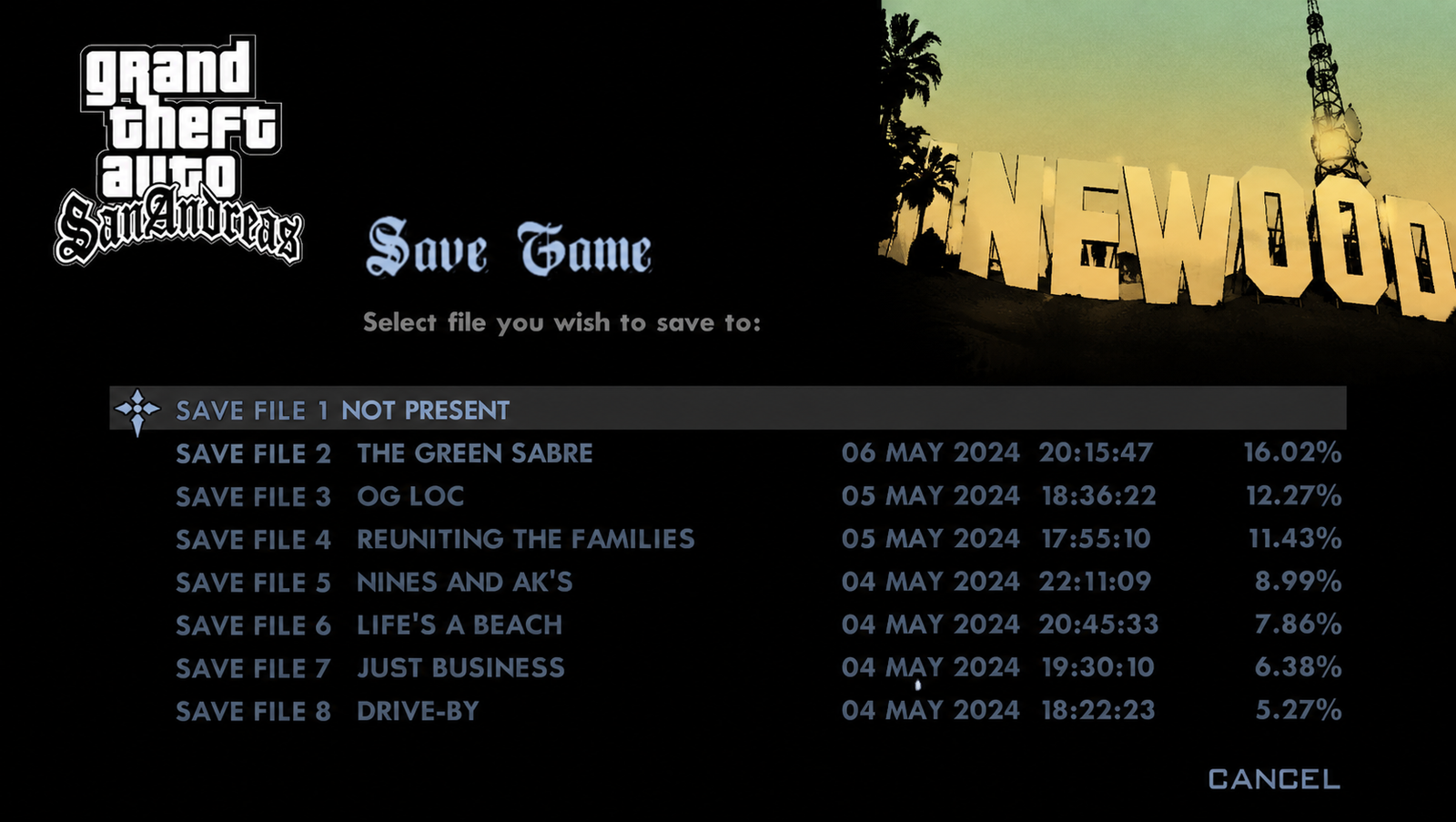
GTA San Andreas Save Game: Grand Theft Auto: San Andreas (GTA SA) is undoubtedly one of the most iconic open-world games in gaming history. Released by Rockstar Games, the journey of Carl Johnson (CJ) from the streets of Los Santos to conquering Las Venturas and San Fierro is legendary. However, let’s be honest—achieving 100% completion in this game is an absolute mountain to climb. Between the 100 tags, 50 oysters, 50 snapshots, 50 horseshoes, and notoriously difficult missions like “Wrong Side of the Tracks” or the RC plane missions, it can take dozens of frustrating hours.
If you want to skip the grind and instantly enjoy everything the game has to offer, utilizing a GTA San Andreas Save Game file is the ultimate solution. In this comprehensive guide, we will walk you through everything you need to know about downloading, installing, and maximizing the use of a 100% complete save file on PC, Android, and consoles.
Visit Now: https://gtasanguide.com/
Why You Need a 100% GTA San Andreas Save Game
When you install a pre-made GTA San Andreas Save Game that has 100% completion, you aren’t just skipping the story missions; you are unlocking a massive playground of features that are otherwise locked behind hours of gameplay.
Here is what you instantly get access to with a 100% completed file:
- Infinite Ammo: You never have to worry about running out of bullets during chaotic rampages.
- Maximized Stats: CJ will have maximum muscle, stamina, lung capacity, and respect, along with Hitman level skill in all weapons.
- Unrivaled Wealth: The save file usually comes with the maximum cash limit ($999,999,999).
- Rare Vehicles unlocked: Vehicles like the Hydra (Jet), Rhino (Tank), and Hunter (Apache Helicopter) will be permanently spawned at your safe houses.
- No Territory Wars: The Ballas and Vagos gangs are permanently wiped off the map, giving Grove Street Families absolute control.
- All Safehouses Purchased: Every single property, hotel suite, and crib across the entire state of San Andreas is unlocked and yours to use.
Step-by-Step Guide: PC Installation
The most popular platform for modding and save file manipulation is undoubtedly the PC. GTA San Andreas Save Game: Whether you are playing the classic v1.0 version, the Steam version, or the modern Grand Theft Auto: The Trilogy – The Definitive Edition, adding a GTA San Andreas Save Game is a straightforward process.
Step 1: Download the Save File
First, you need to download a reliable, virus-free 100% save file from a trusted gaming repository (such as GTAinside or Nexus Mods). The file you download will typically be named something like GTASAsf1.b to GTASAsf8.b. The number in the filename represents the slot in your in-game load menu (e.g., GTASAsf1.b is Slot 1, GTASAsf2.b is Slot 2).
Step 2: Locate Your Save Directory
Before pasting your new file, you must find where your game stores its progress. The directory path varies depending on your game version:
| Game Version | Default Folder Directory Path |
| Classic / Retail / Hoodlum | C:\Users\[Your-Username]\Documents\GTA San Andreas User Files |
| Steam Version | C:\Users\[Your-Username]\Documents\GTA San Andreas User Files |
| The Definitive Edition | C:\Users\[Your-Username]\Documents\Rockstar Games\GTA San Andreas Definitive Edition\Profiles\[Unique-ID] |
Step 3: Backup Your Existing Saves
Crucial Note: Before copying any new files over, always create a backup folder on your desktop and copy your original files into it. If something goes wrong or your game crashes, you won’t lose your personal progress.
Step 4: Inject the New Save File
- Extract the downloaded ZIP/RAR file.
- Copy the
.bfile (e.g.,GTASAsf1.b). - Paste it directly into the corresponding folder listed in the table above.
- If it asks to overwrite an existing file, click Yes (ensuring you have backed up your old file first).
Step 5: Boot the Game
Launch your game, go to Start Game $\rightarrow$ Load Game, and select the slot where you placed the file. You will instantly spawn at CJ’s main house in Grove Street with 100% completion statistics!
Step-by-Step Guide: Android & iOS Mobile Installation
Rockstar’s mobile port of this classic game is fantastic, but controlling a jet or aiming a sniper rifle with touch controls makes 100% completion nearly impossible for casual players. GTA San Andreas Save Game: Fortunately, using a GTA San Andreas Save Game on Android is highly accessible.
Read More: GTA San Andreas Girlfriends Guide — Locations, Gifts & Dating Tips
Requirements for Mobile Installation:
- A file manager application (like ZArchiver or Solid Explorer, available on the Google Play Store).
- A downloaded mobile-compatible
.bsave file.
Android Installation Steps:
- Download the mobile-specific GTA San Andreas Save Game file to your phone.
- Open your File Manager app and navigate to your
Downloadsfolder to locate the file. - Copy the file (it will look like
GTASAsf1.b). - Navigate to the following internal storage path:
Internal Storage / Android / data / com.rockstargames.gtasa / files / - Paste the file directly inside the
filesfolder. - Open your game, skip the “Offline” sign-in page if necessary, tap on Start Game, then Load Game, and load your new file.
Note for iOS Users: Due to Apple’s strict sandboxing policies, injecting a save file on modern iOS versions requires a Mac/PC and software like iMazing, or a jailbroken device. Therefore, the Android method remains the easiest mobile route.
Understanding Different Game Versions and Compatibility
One of the biggest mistakes players make is downloading a file meant for the 2004 classic version and trying to force it into the 2021 Definitive Edition. They are built on completely different engines (RenderWare vs. Unreal Engine 4).
Let’s look at how compatibility works to ensure your downloaded GTA San Andreas Save Game runs smoothly without crashing your game to the desktop.
1. The Classic v1.0 vs. v2.0 / Steam
The original PC DVD version (v1.0) is highly flexible and accepts almost any save file. However, the official Steam version and the German/European censored versions have different coding structures. GTA San Andreas Save Game: If you put a v1.0 file into a Steam directory without a “Downgrades” patch, your game will simply freeze or start a new game from the beginning instead of loading the save.
2. The Definitive Edition (Remastered)
The Definitive Edition uses a different saving structure entirely. GTA San Andreas Save Game The files are usually named SaveData.sav instead of the old .b format. When searching for a download link, make sure the title explicitly states it is a GTA San Andreas Save Game for the Definitive Edition.
Troubleshooting: What to Do If Your Save Game Fails to Load
Sometimes, things don’t go according to plan. You boot up the game, click load, and instead of seeing CJ standing in a mansion, your game crashes or throws an error. Do not panic; here are the common fixes:
The “New Game” Loop
If you click your loaded slot and the game simply starts the introductory sequence with CJ at the airport, it means there is a version mismatch. Your current game version cannot read the save file format. To fix this, you either need to download a version-specific save file or use a GTA SA Downgrade Tool to revert your game to v1.0, which is universally compatible with mods and saves.
Corrupted Save File Error
If the game explicitly says “Save file corrupted,” the file may have been damaged during download or unzipping. Delete the file from your folder, redownload it using a different browser, and make sure to use an updated extraction tool like WinRAR or 7-Zip to extract it.
Compatibility with Script Mods (CLEO)
If you have extensive total-conversion mods or complex CLEO scripts installed, adding a external GTA San Andreas Save Game might conflict with custom scripts that modify the game map or mission structures. GTA San Andreas Save Game For the best results, load 100% save files on a clean, unmodded installation of the game, or ensure your mods do not alter the main storyline variables.
Detailed Check: What Does a True 100% Save Game Look Like?
How can you be absolutely sure that the file you downloaded is a legitimate, fully completed save? You can press Escape, go to the Stats menu, and look at the top. The “Progress Made” stat must read exactly 100.0%.
===========================================================
                100% COMPLETION CHECKLIST
===========================================================
[✓] All 100 Story & Side Missions Completed
[✓] All 100 Los Santos Gang Tags Sprayed
[✓] All 50 San Fierro Snapshots Taken
[✓] All 50 Las Venturas Horseshoes Collected
[✓] All 50 Oysters Found Across the Waters
[✓] All Vehicle Challenges (BMX, Chiliad, NRG-500) Done
[✓] Gold Medals in Driving, Flying, Bike, & Boat Schools
[✓] Asset Properties Generating Daily Passive Income
===========================================================
If your downloaded GTA San Andreas Save Game contains all of these elements checked off, you will also notice that a Hydra jet and a Rhino tank are permanently parked under the roof of CJ’s house on Grove Street, ready for deployment at any second.
Maximizing the Fun with a Fully Completed Save Game
Once you have successfully integrated your GTA San Andreas Save Game, the real fun begins. You are no longer bound by the constraints of unlocking islands or tracking down ammunition. The entire map is open from the desert expanses of Bone County to the bright lights of The Strip in Las Venturas.
Read More: GTA VI Update: Rockstar Just Dropped Big News Before Launch
1. High-Stakes Exploration and Rampages
With infinite ammunition unlocked via the 100% completion trigger, you can engage in massive five-star or six-star police chases without ever running out of rockets or minigun rounds. Go to Area 69, steal a jetpack, fly to the top of the Los Santos skyscraper, and see how long you can hold out against the military.
2. Customizing Your Garages
A 100% complete GTA San Andreas Save Game means every single safehouse across all three cities belongs to you. GTA San Andreas Save Game This gives you dozens of garage slots. You can spend your time tracking down rare vehicles, taking them to TransFender or Loco Low Co. for extreme tuning, and building up a personal collection of custom lowriders, sports cars, and modified bikes across the state.
3. Exploring Myths and Legends
For over two decades, GTA SA has been famous for its urban legends—from Bigfoot in Shady Creeks to UFOs at the Lil’ Probe’Inn. With a fully unlocked map, total health, and a jetpack at your disposal from the start, you can become an in-game myth hunter, exploring the deepest, foggiest parts of the woods or the vast deserts at midnight without any restrictions.
Safety Tips When Downloading Save Files From the Internet
As with downloading any mod, tool, or game configuration file from third-party sites, safety should be your top priority. Follow these simple rules to ensure your computer or mobile device stays completely safe:
- Avoid Executable Files (.exe): A legitimate GTA San Andreas Save Game will only be a
.bfile (for classic editions) or a.savfile (for definitive editions). If a website forces you to download an.exefile or an installer app to get the save game, close the tab immediately. It is likely malware or adware. - Use Reputable Communities: Stick to verified portals that have active user moderation, comment sections, and download counters. Sites like GTAinside, GTAGarage, and Nexus Mods scan files automatically and allow users to comment if a file is broken or unsafe.
- Keep Windows Defender Active: Ensure your real-time antivirus protection is turned on while downloading and extracting files to neutralize any malicious archive scripts before they can execute.
Conclusion
The beauty of Grand Theft Auto: San Andreas lies in its incredible freedom. While playing through the gritty storyline of CJ’s rise to power is an unforgettable experience, sometimes you just want to experience the chaotic sandbox element without restrictions.
By leveraging a pre-verified GTA San Andreas save game, you bypass the tedious collectible hunting, the painful flight school lessons, and the frustrating lowrider challenges. Follow our installation steps carefully based on whether you are playing on PC, mobile, or the remastered Definitive Edition, back up your files, and dive straight back into the ultimate open-world playground with infinite ammo, maximum cash, and total control of the streets of San Andreas!
FAQS
Can I use a GTA San Andreas Save Game on a modified game?
Yes, you can. However, if your mods alter the core map layout, change script pathways, or replace main story missions, loading a vanilla 100% save file might cause unexpected crashes. Simple graphical mods, car replacements, and texture packs will work perfectly fine.
Will downloading a 100% save game unlock achievements on Steam or Rockstar Launcher?
Generally, no. In fact, loading a pre-made GTA San Andreas Save Game usually blocks achievements, or it will only trigger a few random achievements tied to specific endgame stats. If you want to earn all achievements legitimately, you must complete the tasks on your own personal save file.
Is it legal to download someone else’s save file?
Yes, it is entirely legal. Save files do not contain copyrighted game engine data or pirated software; they are simply text and numerical configuration scripts that tell your locally installed game what progress variables have been completed. Sharing them is a common practice throughout the global gaming community.
What is the difference between an Android save file and a PC save file?
While both formats use the .b file extension structure for their original ports, they are formatted differently due to differences in mobile and PC hardware architectures. A standard PC file cannot be placed onto an Android device without conversion, so ensure you download a file specifically labeled for your platform.
How do I change the slot position of the save game?
You can easily change the loading slot by renaming the file itself. For example, if you downloaded a file named GTASAsf1.b but you don’t want to overwrite your own progress in Slot 1, simply rename the downloaded file to GTASAsf2.b or GTASAsf3.b before pasting it into your user directory. This moves it to Slot 2 or Slot 3 in your in-game load menu.